

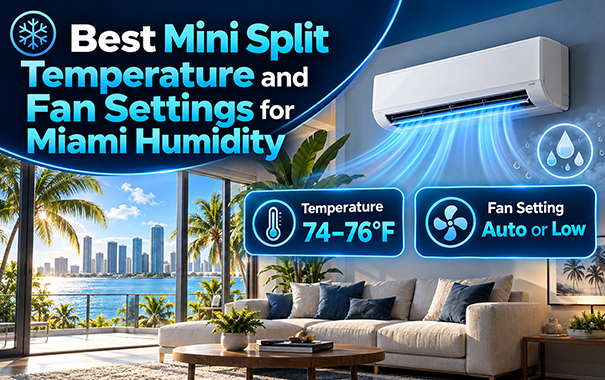
Start with COOL mode at about 76°F and set the fan to AUTO. Then measure the room’s humidity with a separate hygrometer. Adjust the temperature for comfort, but take a closer look if relative humidity remains at 60% or higher.
If the room feels damp while its temperature is already comfortable, test DRY mode and compare the temperature and humidity readings.
These are starting settings. Equipment size, room conditions, outdoor weather, airflow, and model-specific controls can change the result.
Quick Answer: Which Mini Split Settings Should You Use?
| Room condition | Starting setting | What to check |
| Hot and humid | COOL, around 76°F, AUTO fan | Check whether the whole room becomes comfortable and humidity falls below 60%. |
| Comfortable but damp | Try DRY mode | Compare the temperature and humidity with COOL mode. |
| One side remains warm | COOL with enough airflow to reach that area | Check the louvers, filter, furniture, and indoor-unit location. |
| Cool but clammy | Maintain a comfortable temperature and investigate | Check runtime, sizing, drainage, and moisture sources. |
| Room is unoccupied | Test a modest warmer setting in COOL mode | Check humidity when you return. |
AUTO fan and AUTO operating mode are different settings.
AUTO fan allows the unit to adjust its airflow speed. AUTO operating mode may allow the system to switch between cooling and heating. During Miami’s cooling season, choose COOL mode, then select the fan setting separately.
What Temperature Should You Set a Mini Split to in Miami?
Use 76°F as an initial occupied-room setting. Move the temperature up or down one degree at a time based on comfort and measured humidity.
A shaded bedroom, sunny home office, and open living room may feel different at the same setpoint. The number displayed on the remote does not tell you whether the room is dry enough.
Place a hygrometer where people normally sit or sleep. Keep it away from:
- The mini split’s supply airflow
- Direct sunlight
- Exterior doors and windows
- Bathroom doors
- Cooking areas
- Other strong heat or moisture sources
Check the temperature and relative humidity in the morning, afternoon, and evening. Continue for two or three days before deciding whether a setting works.
A brief humidity rise after a shower is different from a bedroom that stays above 60% throughout the night.
Will Setting the Mini Split to 68°F Remove More Humidity?
Do not use an extremely low temperature as your first humidity fix.
A lower setpoint may make the mini split run longer, but it can leave the room feeling cold and clammy. If the unit reaches the selected temperature quickly while humidity remains high, another issue may be involved.
Possible causes include:
- An oversized indoor unit
- Outdoor air entering the room
- Restricted airflow
- A drainage problem
- Water intrusion
- Moisture from cooking or bathing
- A high moisture load with little cooling demand
Confirm the humidity reading first. Then observe how the mini split performs at a comfortable temperature.
Should the Mini Split Fan Be on AUTO or LOW?
Start with AUTO fan. Test LOW if humidity remains high and the airflow still reaches the occupied area.
AUTO allows the mini split to change fan speed based on operating conditions. LOW may help humidity control on some models, but it can also reduce air distribution.
A very low fan setting may leave one side of a large room warmer than the other. Some mini splits also control their fan speed internally during DRY mode, regardless of the speed selected on the remote.
Watch how the indoor fan behaves after the room reaches its setpoint. Depending on the model, the fan may continue moving air after active cooling slows or stops. Airflow across a wet indoor coil can affect the room’s moisture level.
The correct setting is the one that provides:
- Acceptable room humidity
- Even temperature distribution
- Comfortable airflow
- Normal operation for the specific model
How to Compare AUTO and LOW Fan
Use this simple test:
- Select COOL mode and a comfortable temperature.
- Use AUTO fan for one normal day.
- Record the temperature and humidity in the morning, afternoon, and evening.
- On a similar day, switch the fan to LOW without changing the temperature.
- Compare the readings and comfort across the room.
Return to AUTO or increase the fan speed if part of the room becomes noticeably warmer.
COOL vs DRY Mode: Which Is Better for Miami Humidity?
Use COOL when the room is hot. Try DRY when the temperature is comfortable but the air feels damp.
COOL mode removes moisture while cooling the room. Water vapor condenses on the cold indoor coil and exits through the condensate drain.
DRY mode changes how many mini splits operate to place more focus on moisture removal. It may change compressor operation, fan speed, or cycle timing. The exact behavior depends on the model.
Use this simple guide:
- Hot Miami afternoon: Start with COOL mode.
- Mild, rainy day with a sticky room: Test DRY mode.
- Comfortable temperature but high humidity: Compare DRY with COOL.
- High humidity in both modes: Check the equipment and room for another problem.
Do not assume DRY mode always removes more moisture or always uses less electricity. Measure what happens in the room.
For a closer explanation of the setting, read what DRY mode does on a mini split.
Does FAN-Only Mode Remove Humidity?
No. FAN-only mode circulates the room’s air without running the cooling process that collects moisture on the indoor coil.
The moving air may make occupants feel cooler, but the setting does not dehumidify the room.
Best Mini Split Settings for Common Miami Situations
Best Settings at Night
Keep the system in COOL mode if the bedroom needs cooling. Select a temperature that feels comfortable for sleeping, then check the humidity the next morning.
A temperature between 74°F and 77°F can be a useful personal comfort test. It is not a fixed requirement for every bedroom.
Begin with AUTO fan. If the airflow blows directly onto the bed, change the louver direction before reducing the fan speed. A fan speed that is too low may not distribute air across the entire room.
Best Settings on a Mild, Rainy Day
A Miami room can feel sticky even when it is not particularly hot.
If COOL mode runs very little because the room is already close to its setpoint, test DRY mode. Check both temperature and humidity after the room has had time to stabilize.
Stop using DRY if the room becomes uncomfortably cold.
If neither COOL nor DRY controls the humidity, look for:
- Open windows or doors
- Air leaks around the building
- Damp materials
- Plumbing leaks
- Moisture coming from another room
- A blocked condensate drain
Best Settings While You Are Away
Test a modest warmer temperature in COOL mode instead of maintaining the occupied-room setting all day.
Check the humidity when you return. If a large temperature setback repeatedly leaves the room damp, use a smaller change.
Your schedule should reflect how you use the room. Our guide to leaving a mini split running all day explains continuous operation, schedules, and zone control.
Best Settings for a Multi-Zone Mini Split
Treat each room as a separate measurement point.
A bedroom and living room may have different:
- Sun exposure
- Window area
- Occupancy
- Internal heat
- Moisture load
- Airflow conditions
Check the temperature and humidity in each occupied room. Do not change every indoor unit because one room feels damp.
If you regularly operate only one indoor head, read our guide to running one indoor unit on a multi-zone mini split.
If one room remains warmer than the others, follow our multi-zone room troubleshooting guide.
A Simple 48-Hour Mini Split Settings Test
Changing several controls at once makes it difficult to identify what helped. Change one setting at a time.
Day 1: Establish a Baseline
- Select COOL mode.
- Start around 76°F.
- Adjust the temperature for comfort if needed.
- Set the fan to AUTO.
- Place a hygrometer in the occupied part of the room.
- Record temperature and humidity in the morning, afternoon, and evening.
Also note:
- How long the system appears to run
- Whether airflow reaches the whole room
- Whether one area feels warmer
- Whether the room feels clammy
- Whether the indoor unit produces unusual odors or water
Day 2: Test the Most Likely Problem
If the room is hot, continue using COOL mode and check whether the airflow reaches the entire space.
If the room is comfortable but damp, test DRY mode.
If AUTO fan provides even cooling but humidity remains high, test LOW fan without changing the temperature.
Record the results at similar times. Do not judge a setting from one reading immediately after changing the controls.
If relative humidity remains at or above 60% for much of the day, move from adjusting settings to finding the cause.
Why Is the Room Still Humid With the Right Settings?
The Mini Split May Be Poorly Matched to the Room
A system that lowers the temperature quickly may still leave the room feeling damp.
The temperature setting cannot correct poor equipment selection. A proper room assessment considers:
- Floor area
- Ceiling height
- Window size and direction
- Sun exposure
- Insulation
- Air leakage
- Occupants
- Electronics and appliances
- Indoor moisture
- Expected room use
Before buying a system, use the My Mini Split sizing calculator for an initial estimate. Have the final size and installation plan checked against the actual room.
Airflow May Be Restricted
Clean the filter according to the manufacturer’s instructions.
Check that curtains, shelves, cabinets, and tall furniture do not block the indoor unit’s intake or supply air.
If part of the room remains warm, a very low fan speed may not distribute conditioned air far enough. Adjust the louvers and test AUTO fan before assuming the equipment lacks capacity.
Condensate May Not Be Draining Properly
Cooling and dehumidification produce condensate that must leave through the drain.
A blocked, damaged, or poorly routed drain can cause water problems and odors. A persistent musty smell is another reason to inspect the indoor unit.
Start with our musty mini split troubleshooting guide.
The Home May Have Another Moisture Source
Check for:
- Plumbing leaks
- Roof or wall leaks
- Damp building materials
- Open windows
- Air leaks around doors
- Bathroom moisture
- Cooking moisture
- Wet clothing drying indoors
Use bathroom and kitchen exhaust where appropriate. A mini split cannot correct an active water intrusion problem.
The Room May Need Separate Dehumidification
Some rooms have a high moisture load even when they require little cooling.
This can happen during mild, rainy weather. The mini split may have very little reason to cool, even though the room remains damp.
If humidity stays high at a comfortable temperature after reasonable settings and maintenance checks, have the room and equipment assessed. The space may need a separate dehumidifier.
The Takeaway
For an occupied Miami room, begin with COOL mode, about 76°F, and AUTO fan.
Measure the room’s humidity instead of judging the setting only by temperature. Change one control at a time.
Try DRY mode when the temperature is comfortable but the room feels damp. If humidity stays at or above 60%, inspect airflow, drainage, sizing, outdoor air leakage, and moisture sources.
Need help comparing equipment for a humid room? Contact My Mini Split with the room dimensions, layout, and current temperature and humidity readings.
Frequently Asked Questions
What Is the Best Mini Split Temperature for Miami Humidity?
Start around 76°F in COOL mode. Adjust the temperature for comfort and measure humidity with a separate hygrometer. Investigate the room and system if relative humidity stays at or above 60%.
Should a Mini Split Fan Be on AUTO or LOW in Humid Weather?
Start with AUTO fan. Test LOW if the room remains humid and airflow still reaches the occupied area. Keep the setting that provides even comfort and acceptable humidity.
Is COOL or DRY Mode Better for Miami Humidity?
Use COOL when the room is hot. Try DRY when the room is already comfortable but still feels damp. Compare the temperature and humidity because DRY mode behaves differently across models.
Does FAN Mode Reduce Humidity?
No. FAN-only mode moves room air but does not run the cooling process that removes moisture.
Why Does My Mini Split Cool the Room but Leave It Clammy?
The mini split may reach its temperature target before removing enough moisture. Poor sizing, restricted airflow, air leaks, drainage trouble, or another moisture source may also contribute.
What Should I Do if Indoor Humidity Stays Above 60%?
Confirm the reading with a separate hygrometer. Check the filter, airflow, condensate drain, and moisture sources. Have the equipment and room assessed if the problem continues.